
Senior friendly remote control Q&A: what buyers ask before they specify
Published 2026-11-19 · 5 min read
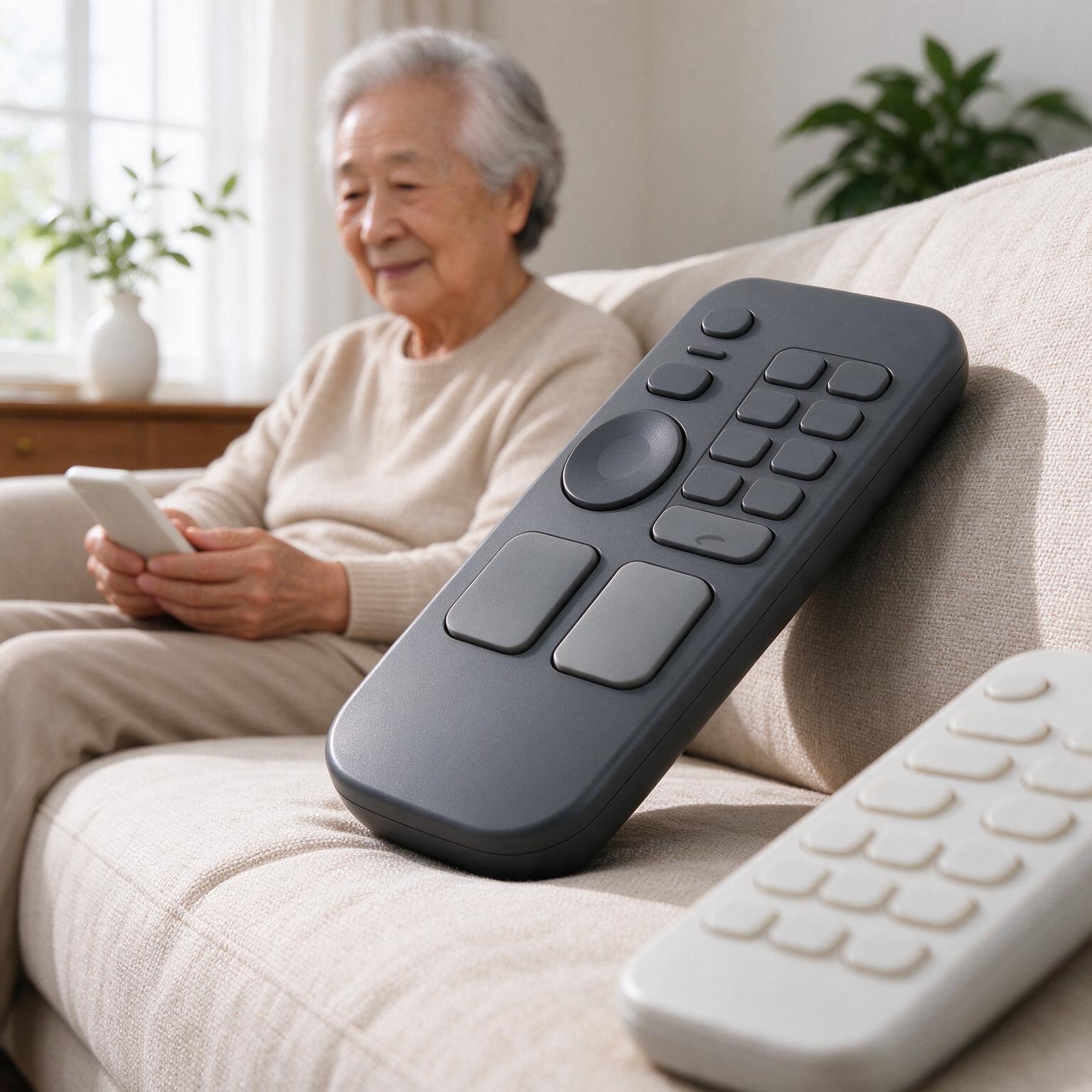
Before a senior-friendly remote control gets anywhere near a specification, procurement teams, care operators and product owners tend to ask the same handful of questions. They are rarely about features. They are about what you can actually put in a contract, what it costs at volume, and where the design falls apart once it's in a resident's hand.
How big do the buttons need to be, and is there a number we can put in the specification?
Specify a minimum button cap of 15 mm across, and treat 20 mm as the working target for the primary keys.
That figure comes from fingertip anthropometry, not from any single standard. An adult fingertip pad is roughly 15 to 20 mm wide, and a target smaller than the pad forces the user to aim rather than press. Aiming is exactly where older hands fail. Once a finger has to be positioned deliberately, the task stops being a press and turns into a motor exercise.
Two dimensions matter here, and buyers usually write down only one. Cap diameter is the obvious one. The other is the gap between adjacent caps, which should be at least 5 mm so a slightly misplaced thumb lands on plastic instead of the neighbouring key. Write both into the spec. A generous cap squeezed up against its neighbour still produces wrong-key errors.
There is a real trade-off. A 20 mm cap grid limits you to roughly nine to twelve keys on a handset that still has to feel like a remote. That constraint drives the later question about key count, so settle it early — don't discover it during tooling.
What contrast ratio should the buttons and labels have against the casing?
Go past the usual interface guidance. Aim for a contrast ratio of at least 7:1 between the label and its immediate background, not the 4.5:1 common in general consumer guidance.
The 4.5:1 figure assumes a normal-sighted viewer under reasonable light. A resident pressing a key in a dim room at night, without spectacles, is neither. Age-related changes to the lens also reduce contrast sensitivity and shift colour perception, so a mid-grey on light-grey design that tests fine on a desk can read as a blank surface at 2 a.m.
Practical rules for the artwork:
- Print label and casing in the same hue family only when the lightness difference is large. Dark charcoal on warm white is safe. Mid-blue on light blue is not.
- Avoid pure red-on-black and dark blue-on-black combinations. Both collapse under low light for many older eyes.
- Keep the label icon or numeral large relative to the cap. A 20 mm cap with a 6 mm numeral wastes the space you paid for.
- Specify a matte or semi-matte surface. Gloss creates a specular highlight that can wipe out a label at the wrong viewing angle.
Ask for the artwork to be checked on sampled production units, not on a PDF. Ink adhesion, texture and laser etching all shift the final contrast.
Do we need backlighting, and what does it cost us in battery life?
Yes for the primary keys, no for the whole keypad, and budget the current accordingly.
Full-keypad backlighting is the fastest way I know to turn a two-year battery into a two-month battery. Restrict illumination to the five or six keys that matter — power, volume, channel, and whatever the operator's main function is. On a typical two-cell AAA alkaline design, that restriction is the difference between a remote that survives a tenancy and one that generates a maintenance ticket per resident per quarter.
Mechanism matters more than marketing claims. Two approaches are common:
| Approach | Behaviour | Effect on battery |
|---|---|---|
| Always-on dim backlight | Constant low-level glow | Steady drain; usually unacceptable |
| Motion or key-triggered, timed out | Lights on press or pickup, off after a few seconds | Low average draw; preferred |
| Ambient-light gated | Only lights when the room is dark | Lowest drain, highest component cost |
The timed-out option is the usual compromise. Ask the ODM what the average current is with the backlight idle, and what it is during the on-window. Those two numbers, plus the timeout length, tell you the real battery story. A figure quoted only as "backlit keypad" tells you nothing.
How many buttons is too many for a senior friendly remote control?
More than about eight visible keys is too many for the core audience, and twelve is the ceiling before the design stops being senior friendly at all.
The number that matters is not the total on the housing but the number a resident must scan to find the key they want. Above roughly eight, users start searching rather than reaching. Searching is slow and error-prone, and it is where wrong-key presses come from.
Key count is where the senior friendly remote control brief most often gets diluted. A brand owner wants parity with the TV's own handset. A hotel group wants the room-control functions on the same device. Each request adds two or three keys, and the handset drifts back to a forty-key layout with a large power button.
Two ways to hold the line. First, push secondary functions behind a shift or menu layer and accept that some will never be used — that's fine. Second, design the top six keys as the only ones with full-size caps, and shrink the rest. The hierarchy does the work that a printed instruction card cannot.
Should the remote handle the TV and the set-top box, or do we keep them separate?
One handset, with the TV and the set-top box handled behind a single power key and automatic input switching.
Two handsets means two objects to lose, two battery changes to schedule, and one more decision for a resident who just wants the screen on. The failure mode is predictable: the resident presses the TV remote, gets no picture because the set-top box is off, and calls reception.
The engineering cost sits in the input logic. A combined remote needs to know which source is live and switch to it, or it needs a discrete input key that a resident must understand. The first is better for the user and harder to build. Ask the ODM how the input state is tracked, and what happens when the two devices get out of sync — after a power cut, say. That recovery path is where combined remotes fail in the field.
If the property already has a separate access-control or climate handset, keep those separate. Consolidating entertainment is straightforward. Consolidating everything invites a keypad nobody can read.
What happens when the remote gets lost, and how much does the recovery feature add per unit?
Assume loss. Design a find-my-remote path into the room system rather than trying to prevent it, and treat the per-unit cost as a small addition to the bill of materials rather than a separate product.
The cheapest recovery mechanism is a paging function built into the room controller: press a button at the wall panel or in the property app and the handset beeps. That needs a receiver in the remote and a transmitter already present in the room hardware, so the incremental cost is a buzzer and a small amount of firmware. It is far cheaper than adding a radio purely for the purpose.
Two failure modes to design against. A flat battery makes the pager silent, so paging should not be the only recovery route. And a handset that beeps when a guest is asleep is worse than a lost one, so the paging trigger needs a time gate.
I will not quote a per-unit figure, because it depends on your room controller architecture and order volume. Ask for it as a line item in the quotation with the BOM breakdown attached, so you can see whether the receiver is new or already there. Any ODM that quotes a single blended price for "the recovery feature" is hiding the architecture question. Shenzhen-based suppliers, including Serow Controls, will normally break this out on request — ask for it before you compare quotes from different vendors.
Can residents with tremor or limited grip actually press it, and how is that tested?
Not by pressing it with a healthy hand. It has to be tested with the population you are designing for, and that testing has to happen before tooling.
Press force is the first parameter. A key that needs more than about 2 newtons of actuation is hard work for a weak grip over repeated use. Below roughly 0.5 newtons you get accidental presses from resting fingers. The usable band is narrow — narrower than most consumer remote designs assume.
Tremor changes the problem. A user with a resting tremor does not press cleanly; they arrive at the key with lateral motion. This is why the 5 mm gap between caps matters as much as the cap size, and why a raised bezel around each key helps: it catches the finger and guides it. A flat membrane surface gives the tremor nothing to register against.
On testing: ask the ODM what their actuation-force tolerance is and whether they can supply force-displacement curves for the keypad. That's a standard engineering deliverable, not a special request. What you cannot get from a datasheet is field validation with older users, so plan a small supervised trial with the operator before committing to a full production run. Tooling changes after that trial are expensive; changes before it are not.
What do we tend to overlook when specifying a senior friendly remote control?
The battery compartment, the cleaning regime and the drop test. All three get skipped because they are not on the feature list.
The battery door is the most common physical failure on any handset in a care setting. Small screws get lost, sliding covers crack, and a resident who cannot change a battery cannot use the device. Specify a cover that opens without a tool but does not open in a handbag, and decide who changes the batteries — resident or staff — because that decides the design.
Cleaning is the second gap. Care and hotel environments wipe handsets with alcohol-based products, and some of those attack the surface print and the plasticiser in soft-touch coatings. Ask for the housing and print to be compatible with the cleaning agents the property actually uses, and get that in writing. A label that fades after a year of daily wiping turns a well-designed keypad into a blank one.
The third is the drop. A handset dropped from bed height onto a hard floor is routine, not exceptional. Ask what drop height and surface the design is validated against, and whether the battery contacts are sprung or rely on the cover to hold cells in place.
None of these are glamorous questions. They are the ones that decide whether the unit on the specification sheet is still working in year three. Send the list to peter.sun@serow-tech.com and ask for written answers against each point — a supplier who can answer them plainly is a supplier worth a second conversation.
More from the newsroom
Keep reading.
Three other notes from the same team.
Start a project
Send the control target, not a catalogue request.
Tell us what the remote has to control, which radio the installed base uses, and where it ships. We will reply with the questions that decide the architecture.