
Remote control for elderly users revisited: what a simpler keypad changed on the support line
Published 2026-11-25 · 5 min read
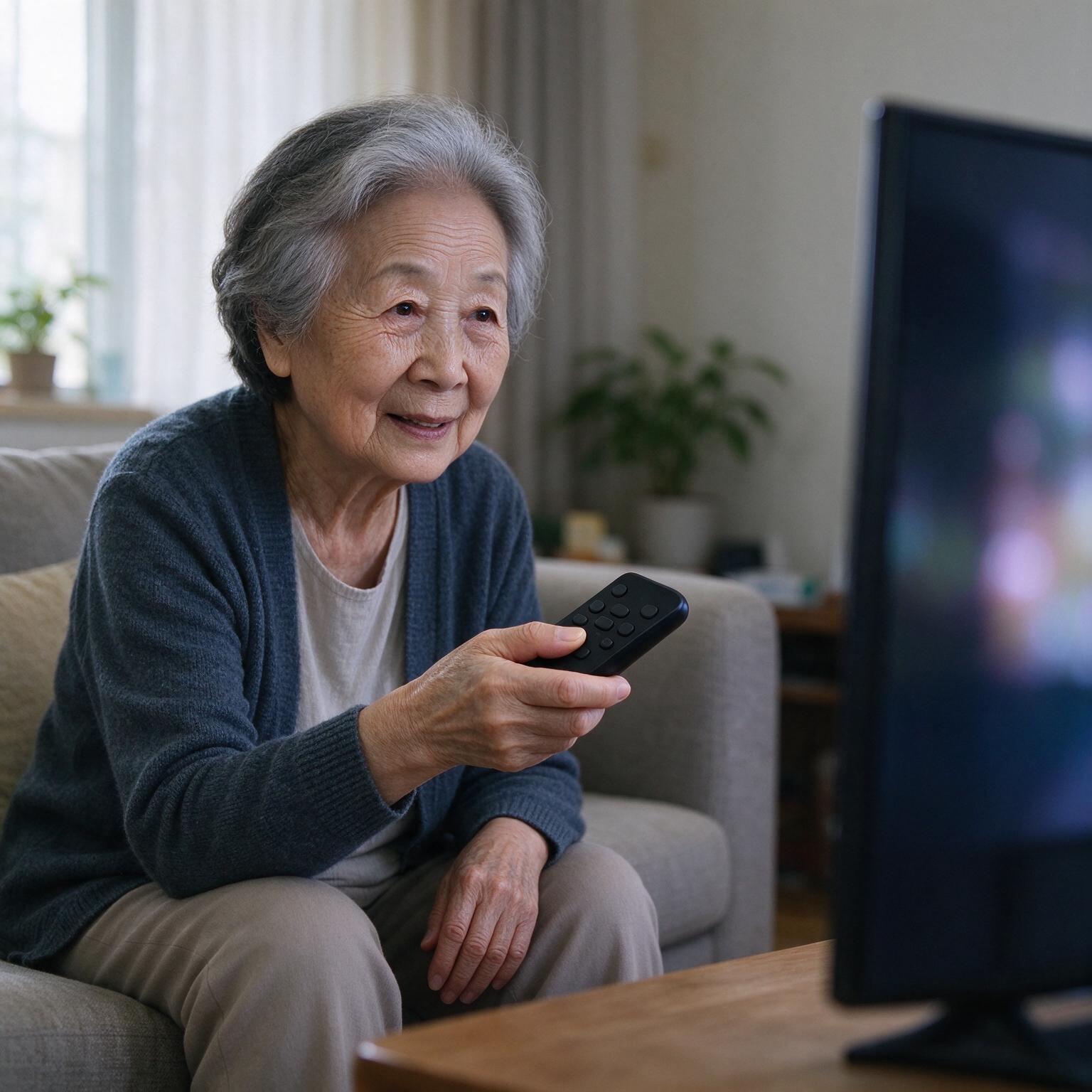
Context: twelve sites, 400 beds, and a remote that had outlived its design
A mid-size care provider running twelve assisted-living sites and one 400-bed nursing home was carrying a hardware estate that had been due for replacement two years earlier. The support desk fielded roughly 600 calls a month across the group. A standing share of them had nothing to do with care, staffing or medication. They were about television.
I've seen this pattern in a lot of group living settings. The television is often the main piece of furniture a resident controls. The remote is often the only device they touch unaided. When the two stop cooperating, the resident doesn't file a ticket. They press the call button, or they simply stop watching — and then a care assistant is standing in the room at nine in the evening, pressing buttons on someone else's behalf.
The provider had already tried the obvious things: laminated instructions, a staff briefing, a note taped to the bedside cabinet. None of it stuck. The problem was never knowledge. It was the object.
The baseline, measured rather than described
Before changing any hardware, the support team logged call categories for a full quarter. That logging step is worth more than most redesigns, because it turns a vague complaint into something you can argue about with a supplier.
Three figures came out of it. 38% of all support calls traced back to the remote control for elderly users — not the set, not the network, not the billing. The average call ran nine minutes, which is long for what is usually a button-pressing problem. And close to one call in four was a repeat: same room, same resident, same fault, within days.
| Measure | Before |
|---|---|
| Calls attributable to the remote | 38% of ~600 per month |
| Average call duration | 9 minutes |
| Repeat-call rate | ~24% |
| Hardware refresh status | Two years overdue |
The repeat rate is the number that should worry a buyer most. A one-off call means someone didn't know which button to press. A repeat call means the fix didn't hold — which usually means the design forced the same mistake twice. Staff retraining had already been tried twice, and the rate hadn't moved.
What was actually done: four changes, four costs
The replacement handset wasn't a stripped-down version of a standard remote. It was designed around a different assumption: that the person holding it may have reduced grip strength, reduced contrast sensitivity, and no patience for a menu. Four decisions followed from that.
Six physical buttons with tactile markings
The original handset carried around thirty keys, most of which were never pressed. The redesign cut the working set to six: power, volume up, volume down, channel up, channel down, and one input key. Each key got a raised shape distinct enough to identify by touch, plus a high-contrast label in a large type size.
The logic is straightforward. Fewer keys means fewer mis-presses and a correct target you can find without looking. The cost is real, though: a new tooling set for the keypad mould, plus a firmware rewrite because the old board expected a full matrix. Expect tooling to dominate the first order, with per-unit cost falling once it's amortised across volume. On a short run, that tooling charge can make the new handset look more expensive than the old one. On the first batch, it usually is.
A single-row on-screen menu
We left the television's own interface alone — it belongs to the set, not the remote. What changed was what the remote asked the screen to display. Instead of a nested menu, the handset brings up one horizontal row of options, navigated left and right. Nothing scrolls off-screen. Nothing nests.
Depth is what loses people, not quantity. A row of five items is legible; a menu with five items, each opening five more, is a maze. The cost here sits in firmware integration and in testing across the set models actually deployed on site. Site estates are rarely uniform, so budget for more model variance than the purchasing list suggests.
Volume and channel in fixed positions
Volume sits top-left, channel top-right, and stays there across every unit, every batch and every future revision. That sounds trivial. It's the change that survived longest in feedback, because muscle memory is the only navigation aid that never needs re-learning.
The cost is a commitment rather than a component. Once the layout is fixed, you can't quietly shuffle keys in a later revision without resetting the learning curve for every resident. Write the layout into the specification as a controlled item, or a well-meaning cost reduction will undo it in eighteen months.
A one-page printed card matching the handset
Every handset shipped with a single printed card showing the remote at full size, each key named with its function in one short line. The card uses the same layout as the device, so a resident or a carer can hold both side by side.
It's the cheapest of the four changes, and the one most often skipped. The cost is a print run and some design time — page layout, plain language, large type. It works because it removes the translation step. A generic instruction leaflet describes a different object; a same-layout card describes this object.
Two quarters later: what moved and what did not
Over two quarters, the share of support calls attributable to the remote fell from just under two in five to roughly one in six. Average call length came down by a few minutes. Both are useful. Neither is a transformation.
The honest part matters more. Total call volume did not fall. The same residents called the same desk at roughly the same rate. What changed was the reason: calls that had been about buttons became calls about other things — including things the desk could actually help with. If a buyer's business case rests on cutting headcount in the support team, this project doesn't deliver that. If it rests on reducing time per call and removing a low-value category, it does.
First-time fix rate on remote-related calls barely moved, which surprised the team. On inspection it makes sense: the fix was almost never a repair. It was guidance, and guidance has a floor — someone still has to walk to the room.
What transfers to other cases, and what does not
The keypad-first logic travels well. Any later-life product with a screen and a handset benefits from fewer keys, fixed positions and a physical layout that can be learned by touch. The printed-card pairing travels equally well — and it applies to thermostats, call pendants, bedside lighting panels and nurse-call handsets just as much as to a television remote.
The measurement habit transfers too, and it's the part most buyers underrate. Log call categories for a quarter before specifying hardware, and you get a baseline you can hold a supplier to. Without it, every design argument becomes a matter of taste.
What doesn't transfer is anything numeric. The 38% figure, the drop to one in six, the nine-minute call — those belong to one estate with one resident mix, one set of deployed televisions and one support team. A site with a younger resident profile, or one where televisions are resident-owned rather than provided, would produce a completely different split.
Nor is six a rule. It worked here because the deployed sets exposed few functions worth reaching. A platform with streaming apps, casting and per-room accounts needs more, and forcing six keys onto it produces a worse device. Treat the count as an outcome of the function list, not a target.
One further assumption deserves a warning. This case relied on a stable site-level support team who logged calls consistently and could describe what residents actually did wrong. Where support is outsourced, rotated or measured only on closure time, the baseline will be noisy and the redesign will be judged on anecdote. Fix the logging before you fix the hardware. It's duller work, and it's the difference between a specification and a guess.
For buyers scoping a similar programme, the useful question isn't "how many buttons". It's "what does our call log say people get wrong, and which of those failures is the object's fault rather than the user's". Serow Controls builds handsets to that brief rather than to a catalogue shape; specifications and layout proposals can be discussed at peter.sun@serow-tech.com, with replies within one working day.
More from the newsroom
Keep reading.
Three other notes from the same team.
Start a project
Send the control target, not a catalogue request.
Tell us what the remote has to control, which radio the installed base uses, and where it ships. We will reply with the questions that decide the architecture.