
Large button remote control Q&A — the answers buyers want first
Published 2026-11-25 · 5 min read
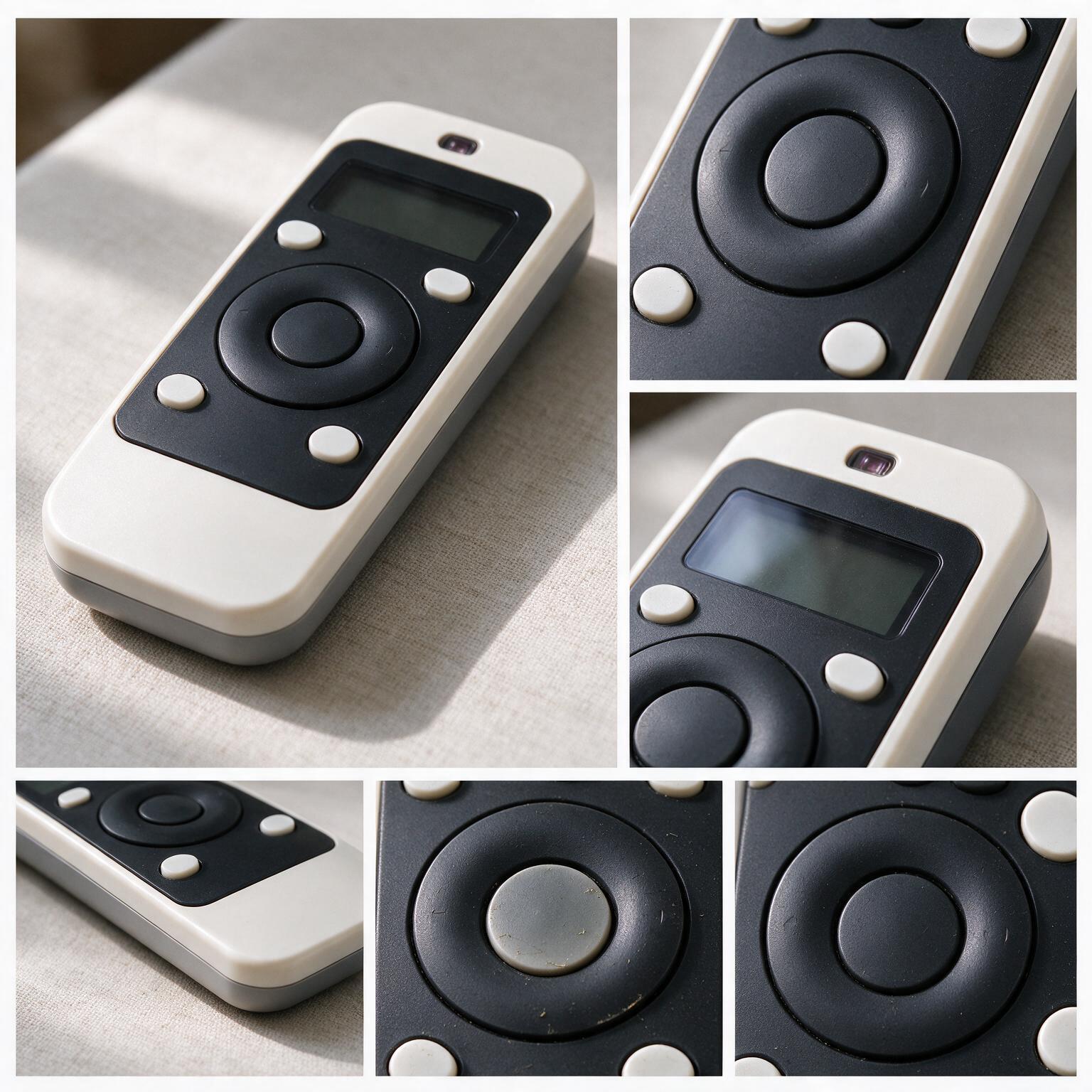
This page answers the specification questions that land before a purchase order: key size and layout, infrared coverage, backlight behaviour, accidental-press control, cost structure and integration with existing hotel or care-home systems.
Which layout suits a large button remote control — grid, column or split?
A three-column grid with a navigation cluster below it is the safest default for a large button remote control. It balances key size against reach, and it survives being picked up in the dark.
Three arrangements dominate in practice. A single column of full-width keys gives you the biggest possible targets and an obvious reading order, but the handset grows long — a 12-key column at 20 mm each already needs 240 mm of body before you add the battery compartment. A grid fits the same key count into a shape that sits comfortably in one hand, at the cost of smaller targets. A split layout, with transport keys on one side and channel or volume on the other, works when the same handset serves two habits — scrolling a channel list and adjusting volume — but it slows first-time users, because there is no single column to scan.
Match the layout to the room. A bedside unit in a hotel benefits from a column: the guest reaches without looking. A shared lounge or dining area benefits from a grid, because the remote gets picked up from odd angles and a compact body is easier to grab. If the handset must be operable with one thumb while held at arm's length, test the grid first.
Two practical constraints shape the choice more than aesthetics. Tactile domes need about 1.5–2 mm of travel, so keys packed tighter than roughly 6 mm centre-to-centre start to feel mushy. And every extra row pushes the infrared window further from the hand, which changes how users aim.
How big should the buttons be on a large button remote control?
Plan for a minimum key face of 15 mm across, and treat anything below 12 mm as unsuitable for users with reduced dexterity or vision.
The number that matters is not the printed legend but the contact area the finger actually lands on, including the gap between keys. A 15 mm key with a 3 mm gap gives an effective target of about 18 mm. That is roughly the width of an adult fingertip and leaves margin for tremor. Keys above 22 mm start to limit how many functions fit on a handset that still feels like a remote rather than a wall panel.
Legend size follows the key, not the other way round. On a 15–18 mm key you can set a character height of 4–5 mm and stay legible at arm's length. Push past that and the legend crowds the key edge, which looks generous in a drawing and reads as cramped in the hand.
- Standard domestic remotes: 8–10 mm keys, fine for confident adult users, poor for anyone with arthritis.
- Accessible consumer remotes: 12–15 mm, the common compromise.
- Care and hospitality specification: 15–20 mm, with high contrast legends and a distinct home key.
Size alone does not solve the problem. A 20 mm key with a low-contrast grey legend is harder to use than a 15 mm key with black-on-white text. Buyers who fixate on dimensions and ignore contrast usually end up with a product that tests badly.
Can a large button remote control still run a TV, set-top box and soundbar?
Yes, but only if you specify the infrared payload correctly. Key size has no bearing on device coverage, and the two are often confused during procurement.
A single infrared emitter can carry a library of device codes, and a handset with a modest microcontroller can hold several thousand. The limit is not memory. It is the learning or pre-loading process, the number of discrete device keys on the keypad, and whether the user can switch between devices without a menu.
Most large-format handsets solve this with a device-switch key or a short press-and-hold combination rather than separate rows for each box. That keeps the key count down. The trade-off is discoverability: users who have never seen the handset will not guess that holding the TV key for two seconds selects the soundbar. Printed instructions help; a small LED indicator that changes colour per device helps more.
Two failure modes come up repeatedly. First, a set-top box that uses a toggle power code rather than discrete on and off — the remote cannot know the box's state, so a "turn everything on" macro becomes unreliable. Second, a soundbar that listens on a carrier frequency slightly outside the standard 38 kHz band, which some receivers tolerate and others do not. Both are solvable at the design stage. Neither is solvable after tooling.
What makes the buttons readable in low light?
Backlighting that illuminates the legends rather than the whole key face is the single biggest factor in low-light readability.
A fully lit keypad looks impressive in a dark room and useless in a dim one, because the glow washes out the contrast between legend and background. Light-piped legends — where an LED behind the PCB pushes light through a clear insert in the key — keep the character sharp while the surrounding key stays dark. The cost is a more complex tool and a slightly thicker keycap.
Three other choices matter:
- Contrast ratio. Aim for a strong figure between legend and key body. Mid-grey on dark grey is the most common mistake in "premium" designs.
- Colour of the light. Amber and warm white are easier on dark-adapted eyes than blue-white; blue also reads as "on" to many users, which causes confusion when the remote is idle.
- Activation. A motion sensor that lights the keypad when the handset is lifted drains the battery faster than a key-press trigger. For a device that may sit untouched for days, key-press activation is the safer default.
If the handset uses a reflective LCD or e-paper display for the current device name, check the viewing angle at low light. These panels lose contrast quickly off-axis, and a guest holding the remote at 45 degrees sees a grey rectangle.
How do you stop accidental presses on a large button remote control?
Large keys get pressed by accident more often, so the design needs a deliberate defence — usually a short press-and-hold threshold on destructive functions such as power.
You have four practical options, and they combine:
- Press-and-hold. Require 400–800 ms on power and source keys. Cheap in firmware, effective, and invisible to the user once learned.
- Recessed or domed keys. A slight dome means a flat surface resting on the remote does not trigger anything. Flat-topped keys are worse here.
- Key lock. A slide switch or a long combination on a dedicated key. Good for hotel rooms where the remote sits on a bedside table; annoying if it locks by accident.
- Firmware debounce and repeat logic. Prevents double-triggering from a single press and stops a stuck key from flooding the emitter.
The failure mode to watch is over-correction. A hold threshold of 1.5 seconds feels broken to a user pressing power and seeing nothing happen. Some will press harder, which does not help, and then report the remote as faulty. Keep the threshold under a second unless the function is genuinely destructive.
Also look at the key-to-key gap. Generous spacing reduces accidental presses far more reliably than any firmware trick, and it costs nothing but body length.
What does a large button remote control cost, and what drives the price?
Unit cost is driven by tooling, key construction and firmware scope far more than by the electronics, which are modest on a device of this type.
I would rather not quote a figure that will not survive contact with your specification. Here is where the money goes instead:
| Cost driver | Effect on price |
|---|---|
| Enclosure tooling | One-off; amortised over volume. A new mould for a custom body is a significant upfront line. |
| Key construction | Silicone rubber keypads are cheapest; light-piped legends and domed caps add tooling and assembly steps. |
| Backlight | LEDs, light guides and a driver circuit. Motion sensing adds a sensor and firmware work. |
| Firmware scope | Device libraries, macros, learning mode and pairing logic. This is where scope creep appears. |
| Volume | The dominant factor. Small runs carry the tooling burden per unit; large runs spread it thin. |
| Custom branding and packaging | Printing, inserts, retail boxes. Usually a smaller line than buyers expect. |
Ask any supplier to split tooling from piece price in writing. A quote that bundles them hides whether you are paying for a mould or a margin. And confirm who owns the tool — if you funded it, the ownership term belongs in the contract.
Do these remotes work with care-home or assisted-living infrastructure?
They work if the handset talks to the same control platform the site already runs. That is a software question before it is a hardware one.
Most care and assisted-living sites run one of three things: a nurse-call or room-control system with a bespoke receiver, an IP-based control platform that expects a gateway, or plain infrared to a television. A large-format handset can serve all three, but the design changes.
For an IP platform, the remote may need to be a networked device rather than a pure infrared emitter. That means Wi-Fi or a low-power radio, provisioning at the factory, and a way to re-provision on site when credentials change — a materially different product with a materially different bill of materials. For a bespoke receiver, you need the protocol documented. Too many sites discover late that their legacy controller uses a proprietary code set nobody has the specification for.
Practical questions to settle early: who re-provisions a unit after a router change, what happens when the battery dies mid-shift, and whether the remote must be cleanable with standard surface wipes. Sealed membranes and no exposed charging port handle the last one better.
What buyers routinely overlook when specifying a large button remote control
The thing most often missed is who supports the product after it ships. Not the hardware cost, not the key size.
A remote in a hotel room or a care home is a device that fails quietly. Batteries run down, codes get lost when a set-top box is swapped, and someone has to fix it without a site visit. Buyers who negotiate hard on piece price and never ask about the replacement protocol end up paying for it in operations. Settle three things before you sign: what the failure rate assumption is, how a unit gets replaced, and whether the supplier will hold stock for spares.
Second oversight: the battery compartment. A screw-fastened cover is safer in a care setting and infuriating in a hotel where housekeeping changes cells on a schedule. Decide which user changes the battery and design for that person.
Third: the documentation. A code library is only useful if the site can add a device later without calling you. Ask for the code list in a format the site's technician can read.
If you are working through a specification for a large button remote control and want a second opinion on the layout or firmware scope, Serow Controls in Shenzhen has been building remotes since 2014 and answers enquiries within one working day at peter.sun@serow-tech.com.
More from the newsroom
Keep reading.
Three other notes from the same team.
Start a project
Send the control target, not a catalogue request.
Tell us what the remote has to control, which radio the installed base uses, and where it ships. We will reply with the questions that decide the architecture.